Modern Photo Mechanic
alternative
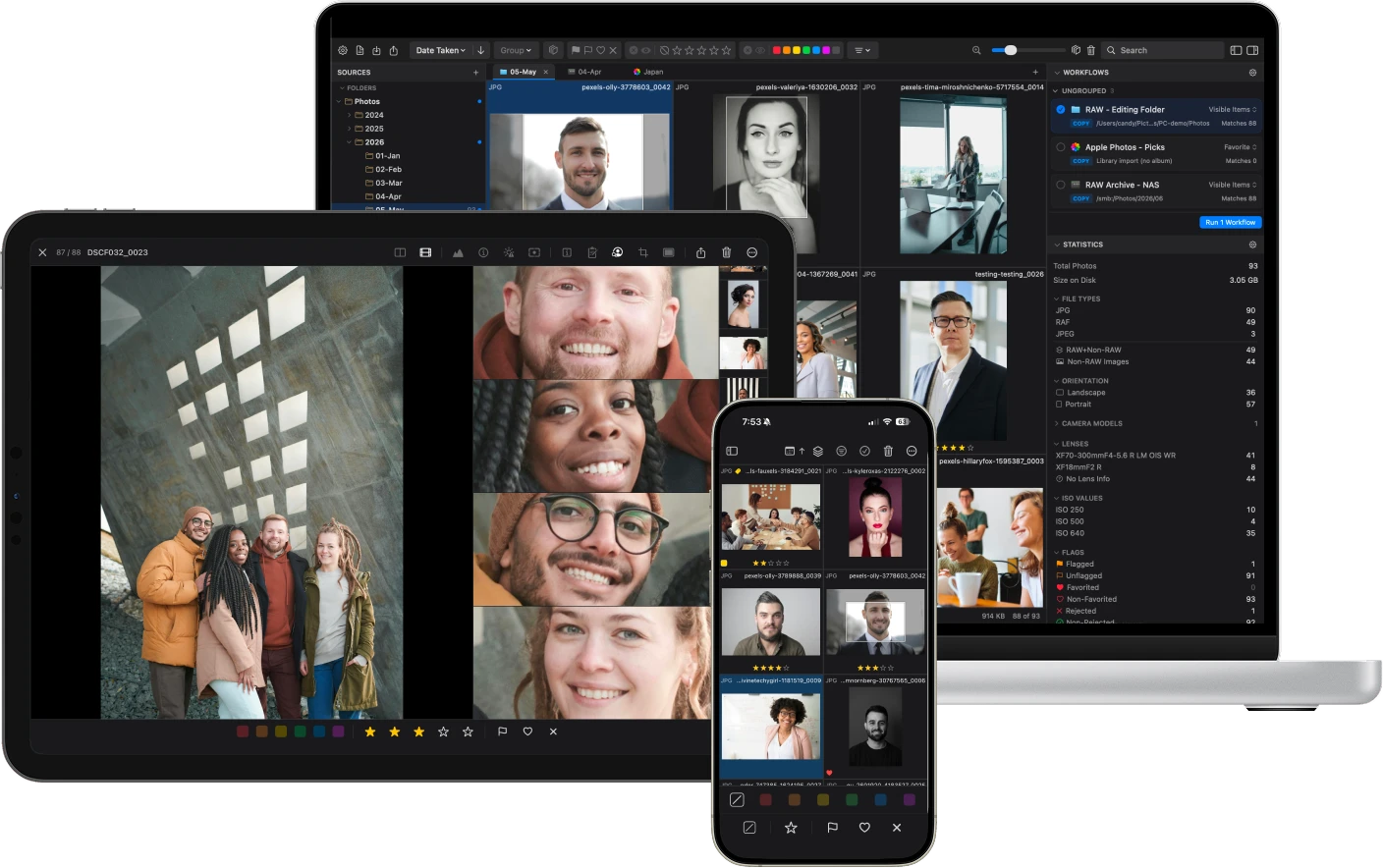
PhotoCuller keeps the parts photographers have depended on for years. IPTC templates, fast ingest, code replacement in a native macOS app that feels like it belongs in this decade.
Why photographers switch to PhotoCuller
The frustrations you already know. These are the gaps that finally push photographers to look for something better.
Dated Interface
Photo Mechanic's UI feels archaic on a modern Mac. The interface shows its age every time you open it.
Subscription or $299
$14.99/month that never stops, or $299 upfront for a perpetual license.
Slow Updates
Major features take years to ship, and minor releases are infrequent.
Everything you need, and the tools Photo Mechanic still does not have
PhotoCuller covers the full professional workflow, and adds the modern culling tools Photo Mechanic never got around to building.
| Feature | PhotoCuller | Photo Mechanic | What it does |
|---|---|---|---|
| IPTC Templates | ✓ | ✓ | Professional metadata standards with a clean, modern editor. |
| Ingest | ✓ | ✓ | Automated card-to-Mac transfers, built for your existing intake habits. |
| Code Replacement | ✓ | ✓ | Supports industry-standard shorthand for rapid captioning. |
| Loupe | ✓ | ✓ | Check detail in the grid without switching views. |
| Metadata Editing | ✓ | ✓ | Rename color labels to match how you actually work. |
| Exposure Warnings | ✓ | ✓ | Both apps show highlight and shadow clipping warnings during review. |
| Subject Panel | ✓ | – | View every face, pet, and subject in a shot side-by-side to check expressions at a glance. |
| Time-Based Auto Stacking | ✓ | – | Groups burst shots by time interval so you review the sequence, not every single frame. |
| Similar Scenes Grouping | ✓ | – | Auto-groups visually related photos across a shoot, beyond simple time-based stacking. |
| List View | ✓ | – | A customizable table for browsing and editing metadata, culling status, and EXIF/IPTC inline. |
| Mac, iPhone & iPad with CullSync | ✓ | – | Cull on any device and sync ratings, labels, and metadata across them privately via iCloud. |
| Sidecar-Aware Transfers | ✓ | – | Companion sidecars from DxO PhotoLab, RawTherapee, ON1 Photo RAW, and Apple Photos travel with photos during transfer, rename, and workflows. |
| Group Photos | ✓ | – | Browse by hour, day, or stack instead of one endless grid. |
| Visual Workflow Builder | ✓ | – | Build multi-destination delivery as a node graph with branches and processing steps — RAWs to your NAS, JPEGs to Apple Photos, one run. |
| Focus Peaking | ✓ | – | A visual overlay that shows you what's sharp before you even zoom in. |
| Metadata Filtering | ✓ | – | Filter by camera body, lens, or ISO to review one setup at a time. |
| Modern User Interface | ✓ | – | A clean, modern design built natively for Mac. |
The newer tools make the same workflow better
Modern culling features on top of the professional workflow you already know.
Subject Panel
The Subject Panel shows cropped close-ups of every detected face, pet, and subject. See at a glance who blinked, who looked away, and who nailed it — without zooming into each frame.

Focus Peaking
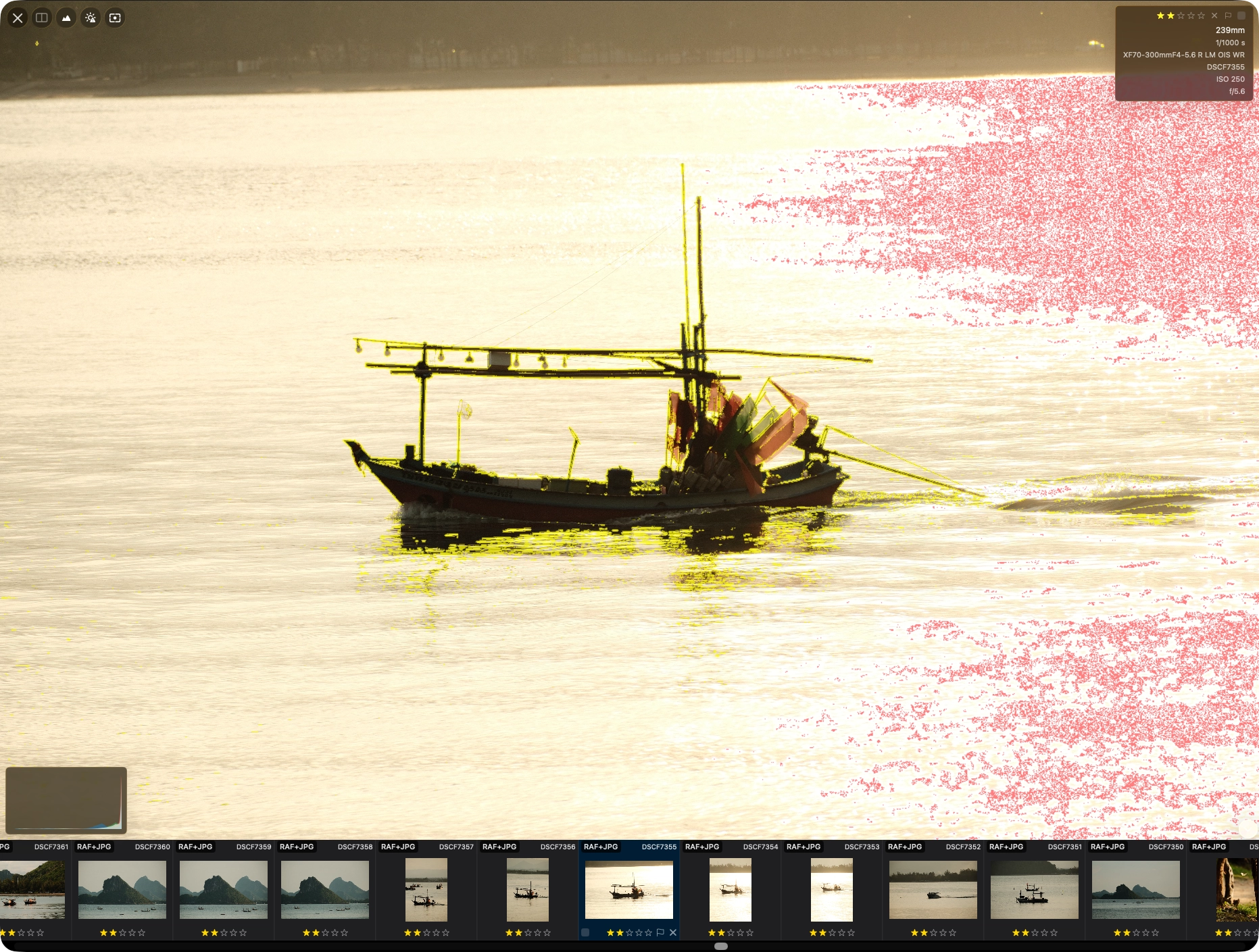
An overlay highlights what the lens actually focused on. See what is sharp or soft immediately without zooming in or second-guessing.
Visual Workflow Builder
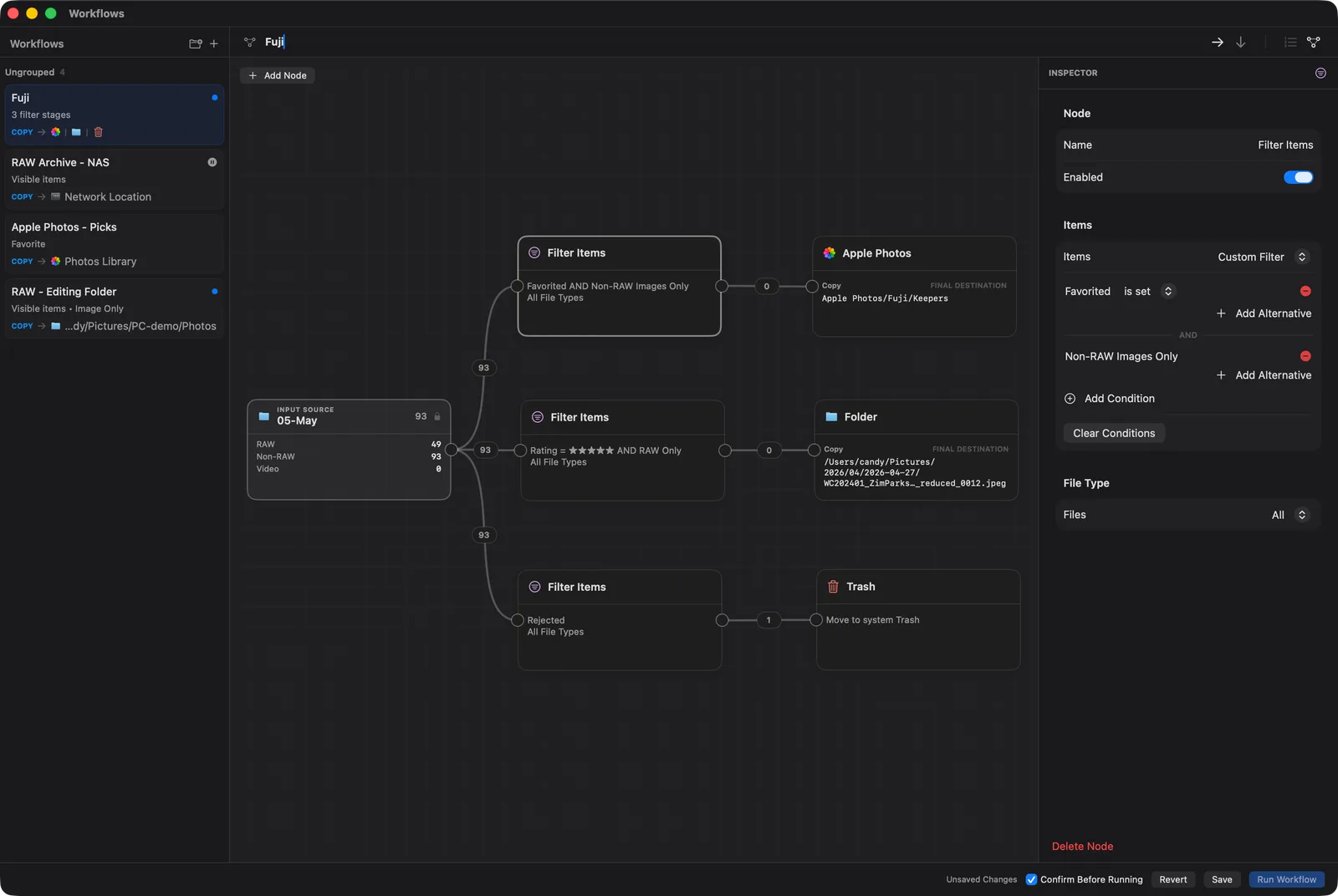
Build delivery as a node graph: branch by rating, add processing steps like RAW conversion or Auto Enhance, then route each branch to its own destination — NAS, Apple Photos, or an FTP server. Set it up once, run it every time you cull.
Professional Ingest
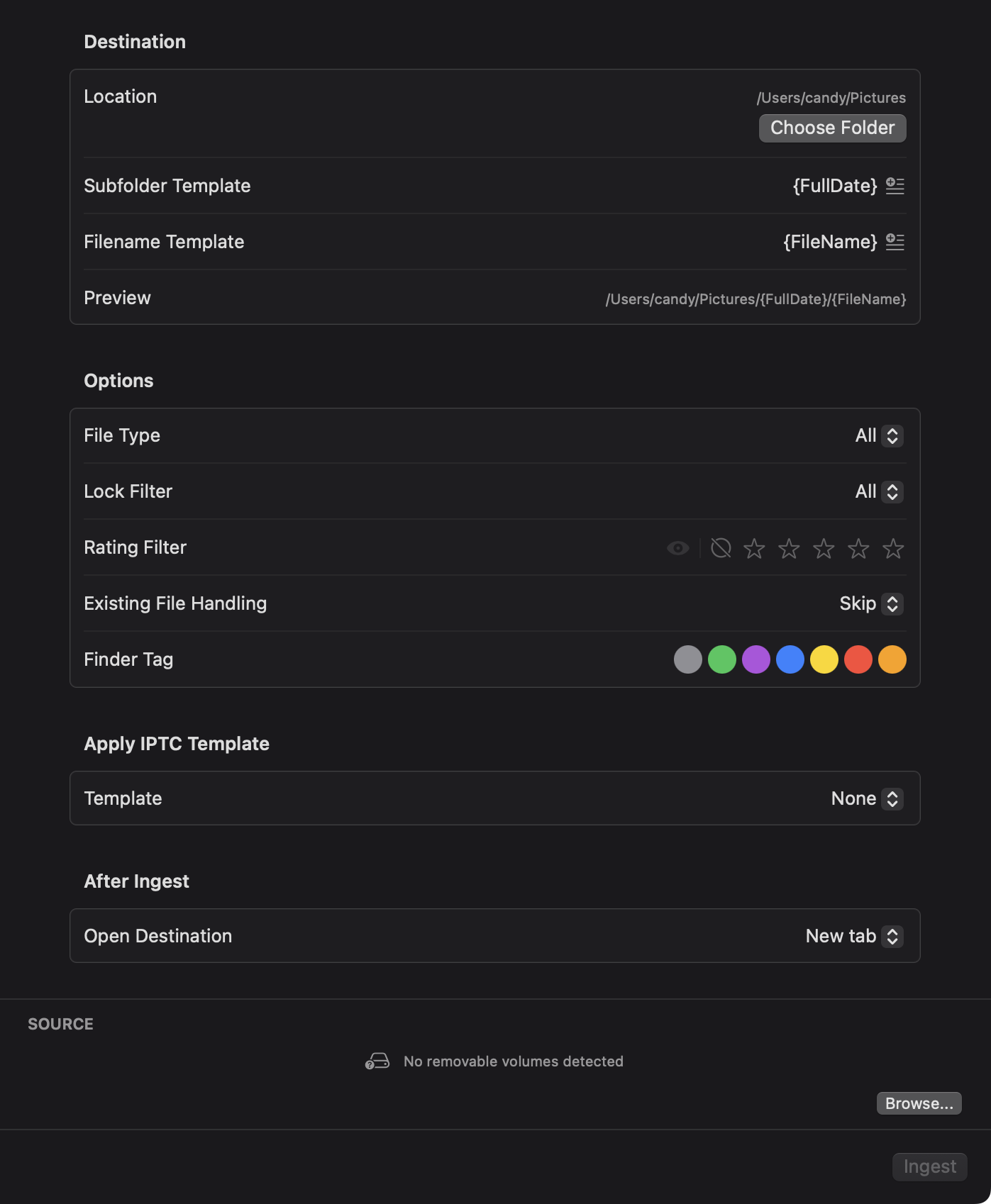
PhotoCuller detects memory cards automatically and transfers photos to your Mac using folder templates you define. Supports renaming, subfolder routing, and metadata application on import.
Similar Scenes Grouping
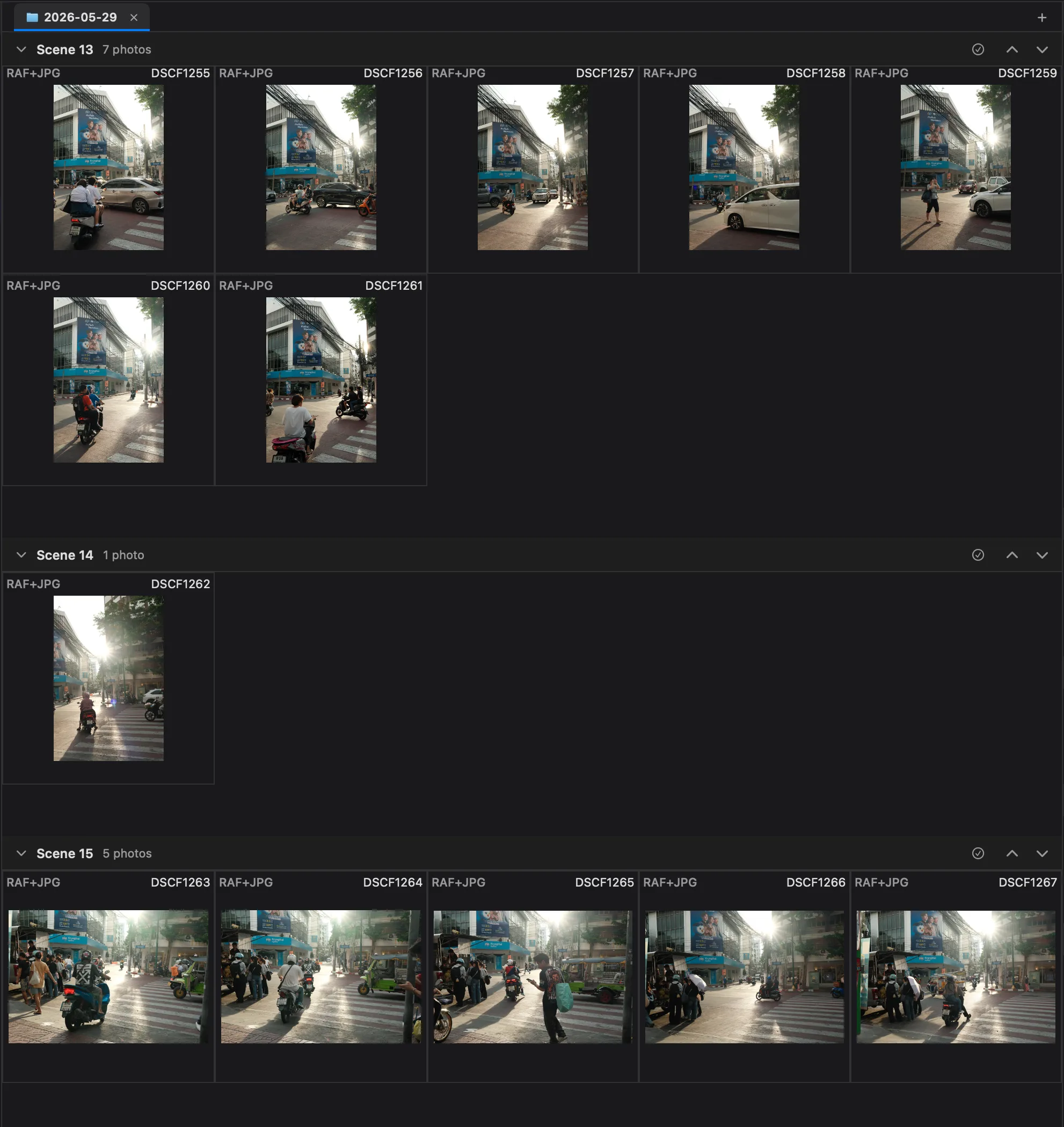
Automatically groups visually related photos into scenes — not just tight bursts by capture time, but shots that share the same subject and composition across a shoot. Review one scene at a time instead of hunting through the whole take.
Photographers who made the switch
Pay less Get more
PhotoCuller's $49 Desktop option is about 6x less than Photo Mechanic's $299 perpetual license and comes with no subscription. Try it free for 30 days - no credit card required.
Questions from switchers
Can I keep my IPTC templates?
Yes. PhotoCuller has a full IPTC template editor with the same metadata fields you use in Photo Mechanic. You can import your existing templates into a more modern interface and apply them on ingest or at any point during culling.
Does it support star ratings and color labels?
Yes. PhotoCuller supports star ratings and color labels, so the same fast review workflow you use in Photo Mechanic carries over cleanly.
Does it support variables?
Yes. PhotoCuller supports variables in IPTC templates and workflows, so you can build reusable metadata and delivery presets without retyping the same details every time.
Does it support code replacement?
Yes. PhotoCuller supports industry-standard code replacement shorthand for captioning, just like Photo Mechanic. Import your existing TSV replacement files and keep working the way you always have.
What do the $49 and $79 one-time options include?
The $49 Desktop option includes every Mac feature on this page, a perpetual license for up to two Macs, and two years of macOS updates. The $79 bundle adds iPhone and iPad access and supports up to four devices total. Neither option auto-renews, and direct purchases include a 30-day money-back guarantee.