Aftershoot alternative for
professional photographers
Aftershoot leans on AI to make the picks. PhotoCuller gives professional photographers faster tools to stay in control of every selection.
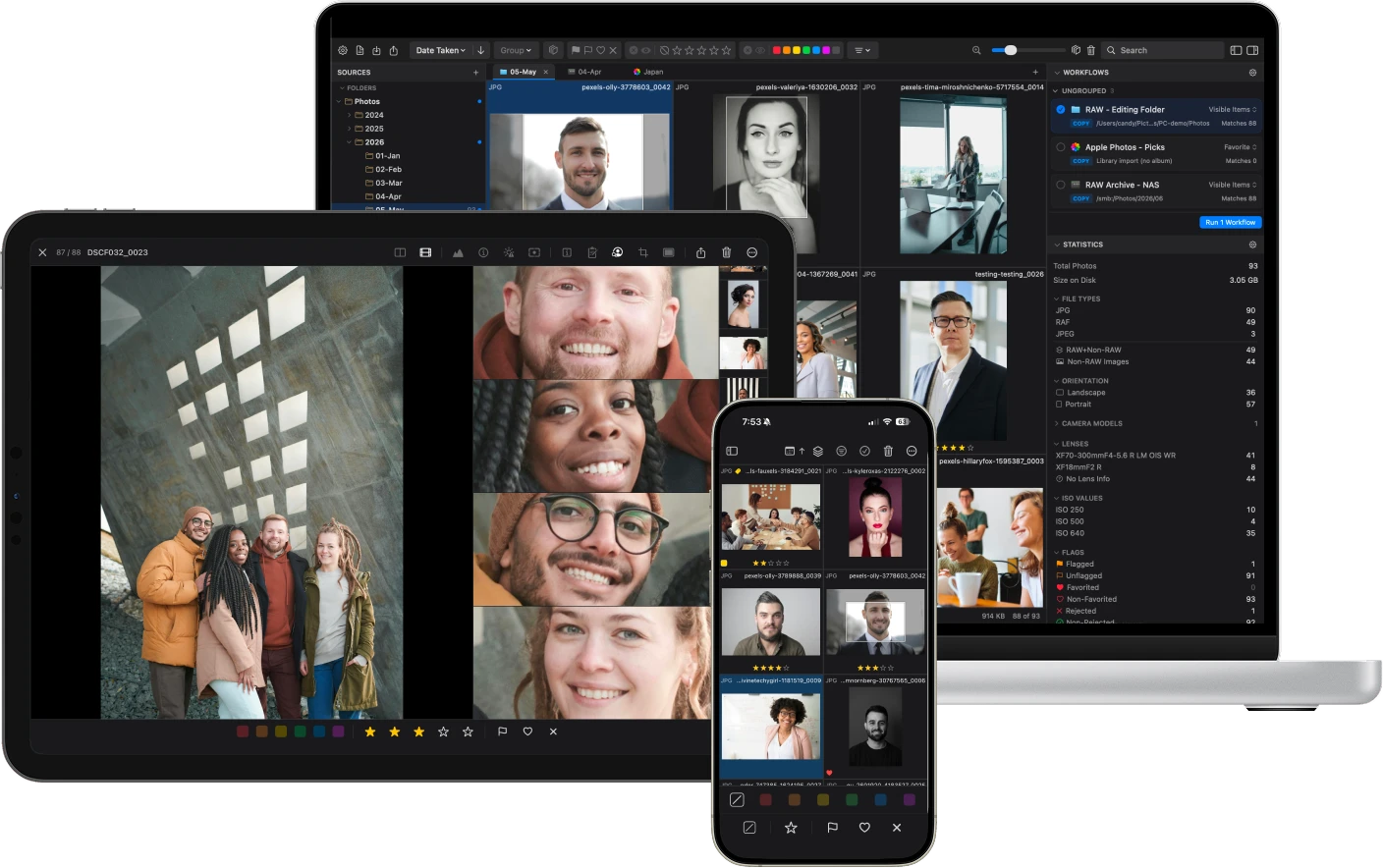
Two approaches to culling
Aftershoot automates your decisions. PhotoCuller makes your decisions faster.
Aftershoot
- AI picks your selects for you
- Optimizes for technical perfection, but can miss the shot that tells the story
- Trains on your past decisions to automate future ones
- Designed to replace your review process
- Tries to be your culler, editor, and retoucher all at once
PhotoCuller
- You pick your selects, with better tools to do it faster
- A technically perfect frame isn't always the right one. You know the difference.
- Built for professional workflows that depend on XMP, IPTC, and portable metadata
- Noticeably faster when browsing thousands of RAWs
- Specialized in culling. Pairs with any editor you already use
What you keep
Your creativity
Every rating, every flag, every pick is your decision. No AI second-guessing you.
Your privacy
You don't need an account. Your photos never leave your Mac and no one collects your usage data.
Your money
Not $180 this year, $360 next year, $540 the year after. Pay once and it's yours.
Feature by feature
PhotoCuller covers more of the workflow professional photographers rely on.
| Feature | PhotoCuller | Aftershoot | What it does |
|---|---|---|---|
| Face Detection | ✓ | ✓ | Both detect faces. PhotoCuller's Subject Panel also detects pets and other subjects, all in one dedicated panel for quick review. |
| XMP Sidecar Support | ✓ | ✓ | Non-destructive metadata. Ratings written to sidecars by default. |
| Works Fully Offline | ✓ | ✓ | No internet connection needed to cull your photos. |
| RAW Browsing Performance | ✓ | – | Loads your entire shoot while Aftershoot is still rendering thumbnails. |
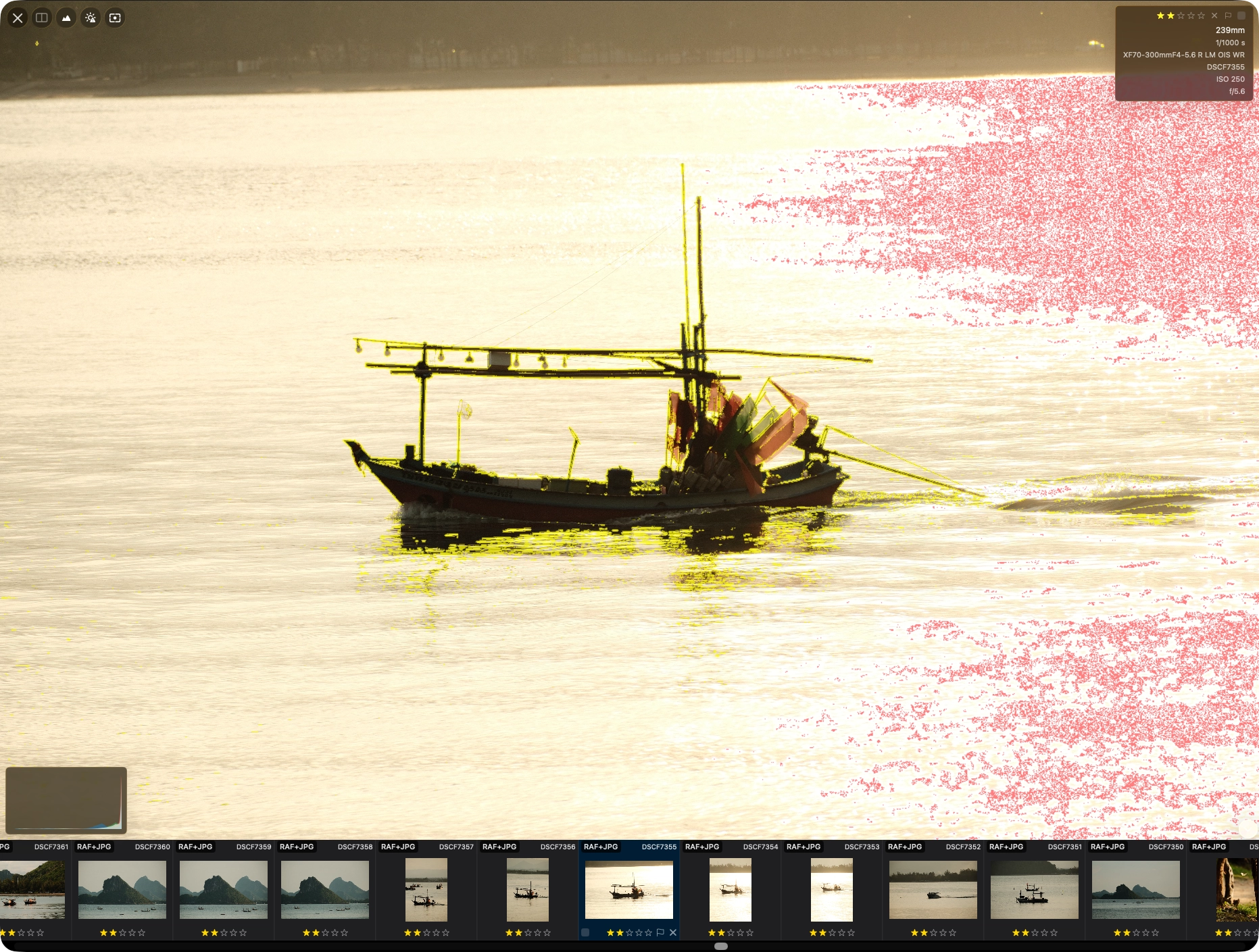
| Focus Peaking | ✓ | – | Visual overlay showing what the lens actually focused on. |
| Exposure Warnings | ✓ | – | Instant highlights for blown highlights and crushed shadows. |
| Loupe | ✓ | – | Magnifier in grid view to inspect detail without switching views. |
| Auto + Manual Stacking | ✓ | – | PhotoCuller lets you auto-stack bursts by capture time or create stacks manually when you want full control. |
| IPTC Templates | ✓ | – | Professional metadata standards with merge modes and session variables. |
| Code Replacement | ✓ | – | Expand shorthand into full values for rapid captioning. |
| Ingest from Cards | ✓ | – | Auto-detect SD cards with template-driven folder naming. |
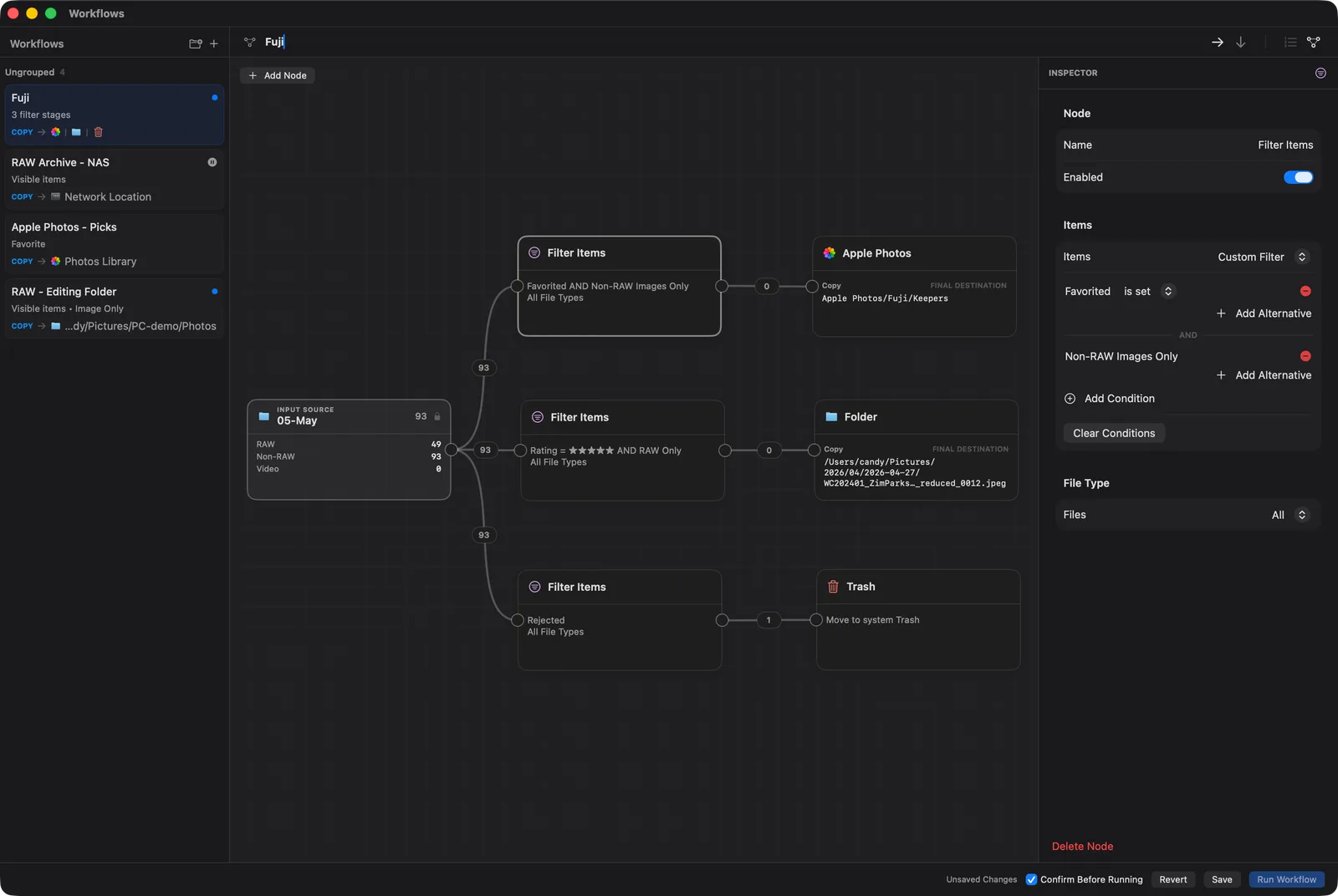
| Visual Workflow Builder | ✓ | – | Build delivery as a node graph with branches and processing steps — RAWs to your NAS, JPEGs to Apple Photos, all in one pass. |
| Apple Photos Integration | ✓ | – | Load albums as sources, route output back to Photos. |
| List View | ✓ | – | A customizable table for browsing and editing metadata, culling status, and EXIF/IPTC inline. |
| Similar Scenes Grouping | ✓ | – | Auto-groups visually related photos across a shoot, beyond simple time-based stacking. |
| Mac, iPhone & iPad with CullSync | ✓ | – | Cull on any device and sync ratings, labels, and metadata across them privately via iCloud. |
| Sidecar-Aware Transfers | ✓ | – | Companion sidecars from DxO PhotoLab, RawTherapee, ON1 Photo RAW, and Apple Photos travel with photos during transfer, rename, and workflows. |
| AI Automated Culling | – | ✓ | PhotoCuller trusts the photographer's eye instead. |
| AI Editing | – | ✓ | PhotoCuller focuses on culling. Use your preferred editor. |
| AI Retouching | – | ✓ | PhotoCuller lets you choose your own retouching tool. |
Highlights for professional photographers
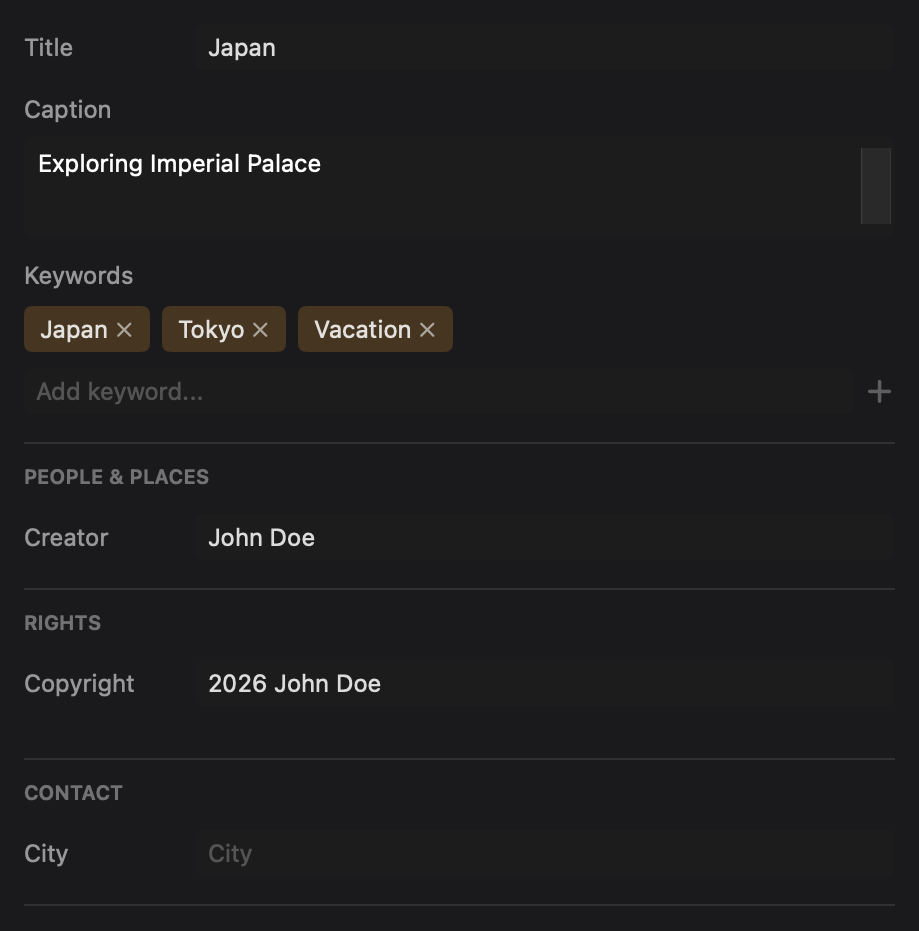
IPTC Templates
Apply reusable IPTC presets with merge modes and session variables. Essential for photojournalists, agencies, and anyone who needs structured, standards-compliant metadata baked into every file.
Visual Workflow Builder
Build delivery as a node graph: branch by rating, add processing steps like RAW conversion or Auto Enhance, then route each branch to its own destination. Aftershoot exports to Lightroom or Capture One. PhotoCuller routes anywhere.
Focus Peaking + Exposure Warnings
See what is sharp before you make the pick. Focus peaking shows what the lens actually focused on, while exposure warnings flag blown highlights and crushed shadows, so you can judge each frame with confidence.
Subject Panel
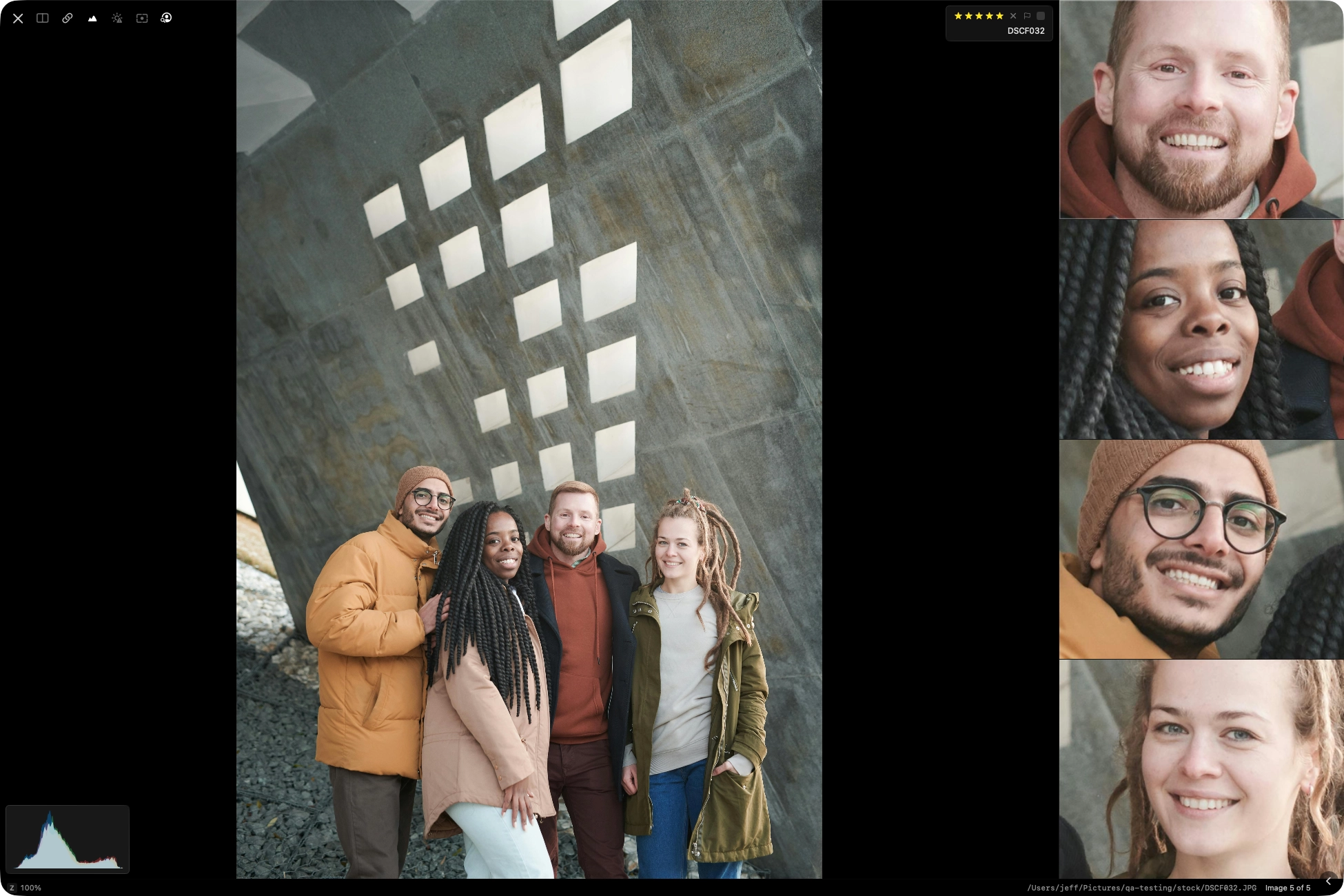
Check every face, pet, and subject in a group shot without zooming in one by one. The Subject Panel shows cropped close-ups of every detection, so you can quickly spot blinks, missed expressions, and the frame worth keeping.
Professional Ingest
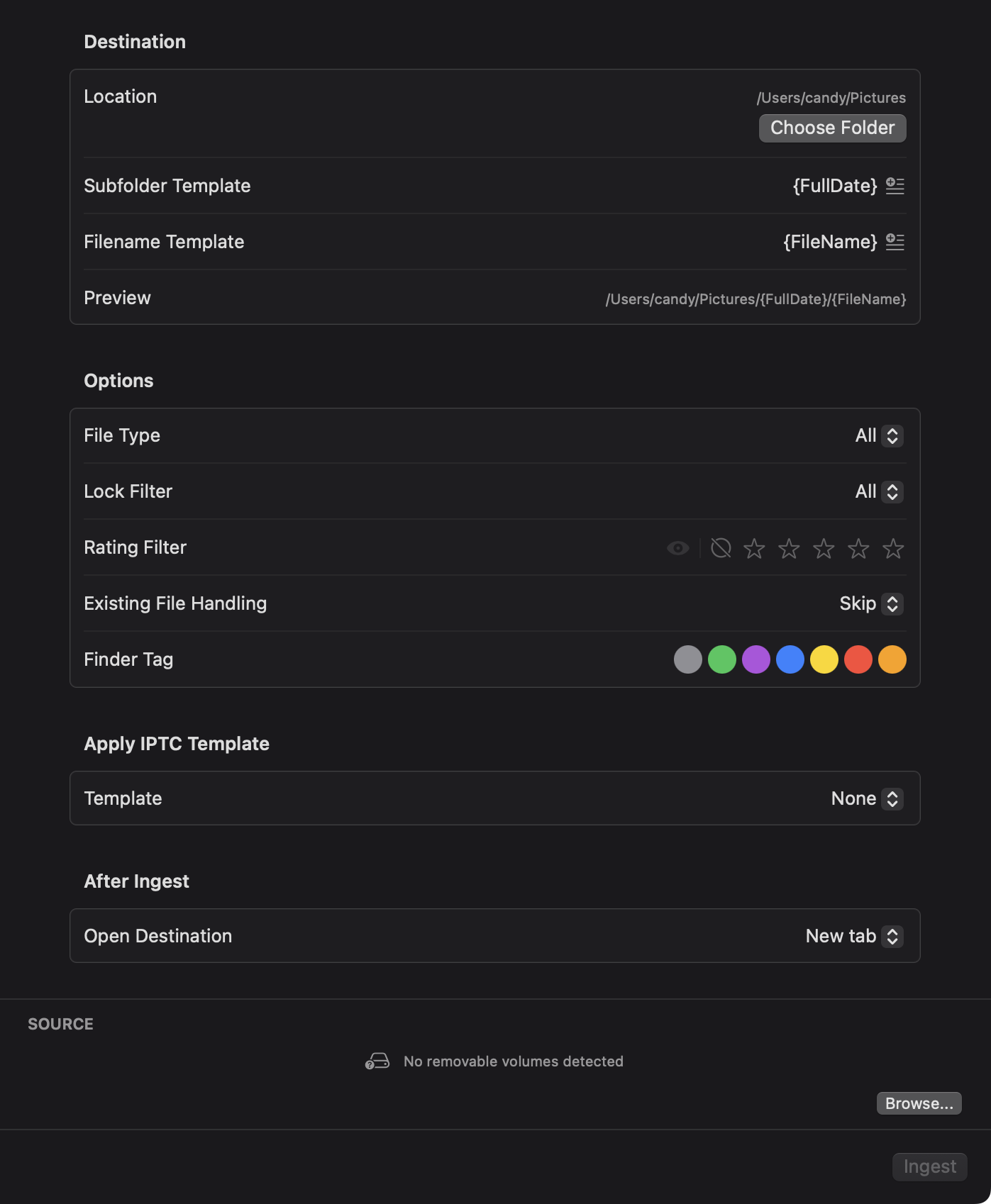
PhotoCuller detects memory cards automatically and transfers photos to your Mac using folder templates you define. Supports renaming, subfolder routing, and IPTC application on import. A full session tool, not just a culling step.
Similar Scenes Grouping
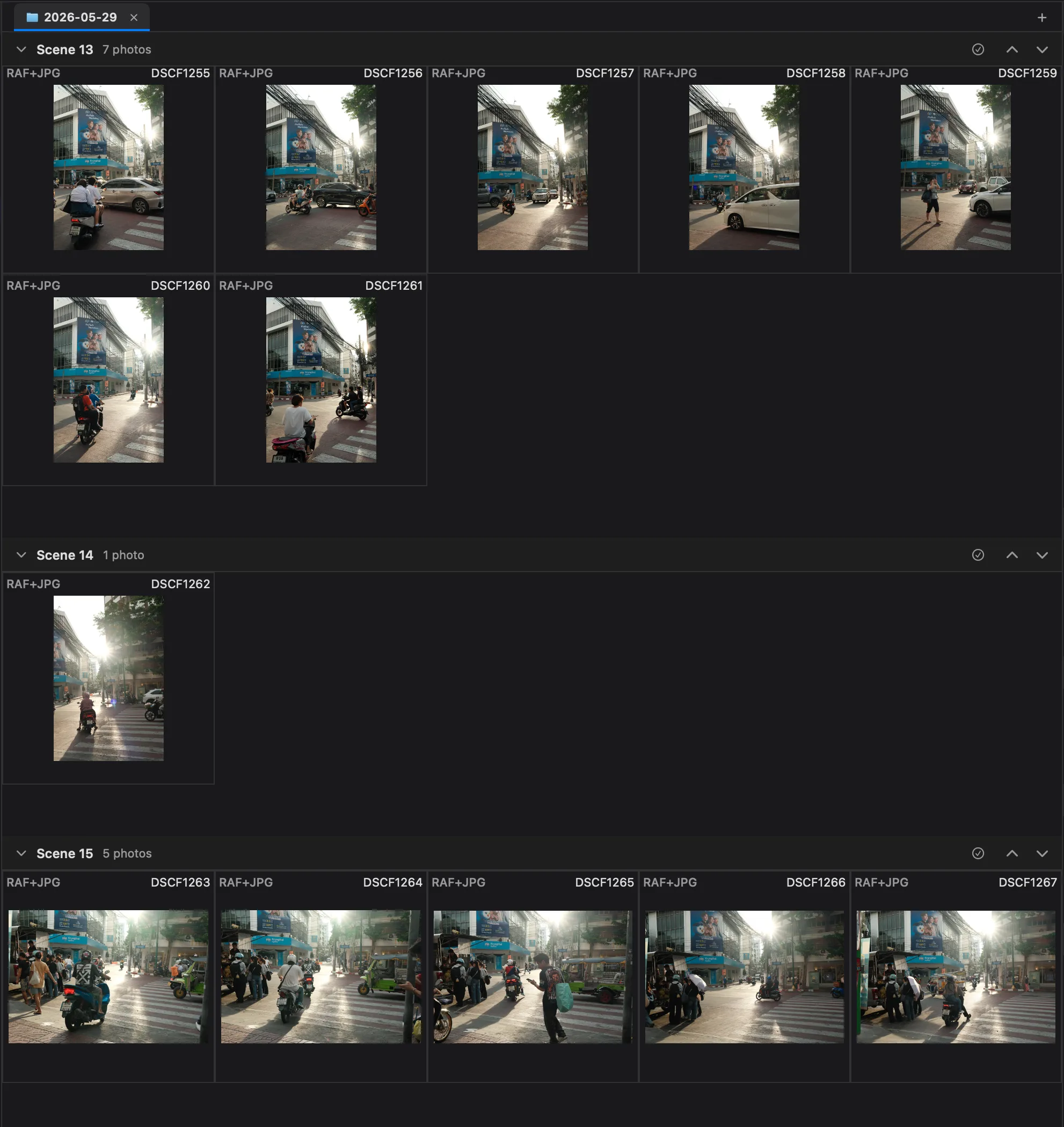
Automatically groups visually related photos into scenes — not just tight bursts by capture time, but shots that share the same subject and composition across a shoot. Review one scene at a time instead of hunting through the whole take.
Photographers who trust their own eye
The cost of a subscription adds up
Aftershoot's cheapest culling plan is $15/month. Here is what that looks like next to a one-time purchase.
Aftershoot vs PhotoCuller
Stop renting your workflow. Own it.
30-day free trial. No credit card. No account. Load a real shoot and see how it feels.
Questions from photographers
Why choose PhotoCuller over AI culling?
Because the best frame is not always the most technically perfect one. PhotoCuller keeps that decision in your hands.
Can PhotoCuller handle large RAW shoots?
Yes. PhotoCuller stays responsive on large RAW shoots, so you spend less time waiting for thumbnails and previews to catch up.
Can PhotoCuller still save time without AI?
Yes. Smart stacking groups burst sequences so you review one set instead of twenty frames. The loupe, face panel, and focus peaking give you the detail you need to make the call. You stay in control of every frame.
Does PhotoCuller work with my existing editing tools?
Yes. PhotoCuller is specialized for culling and delivery. Send files to any configured external editor, and use workflows to route output to folders, NAS, or Apple Photos. It fits between capture and editing without forcing a new ecosystem.
What do the $49 and $79 one-time options include?
The $49 Desktop option includes every Mac feature on this page, a perpetual license for up to two Macs, and two years of macOS updates. The $79 bundle adds iPhone and iPad access and supports up to four devices total. Neither option auto-renews, and direct purchases include a 30-day money-back guarantee.