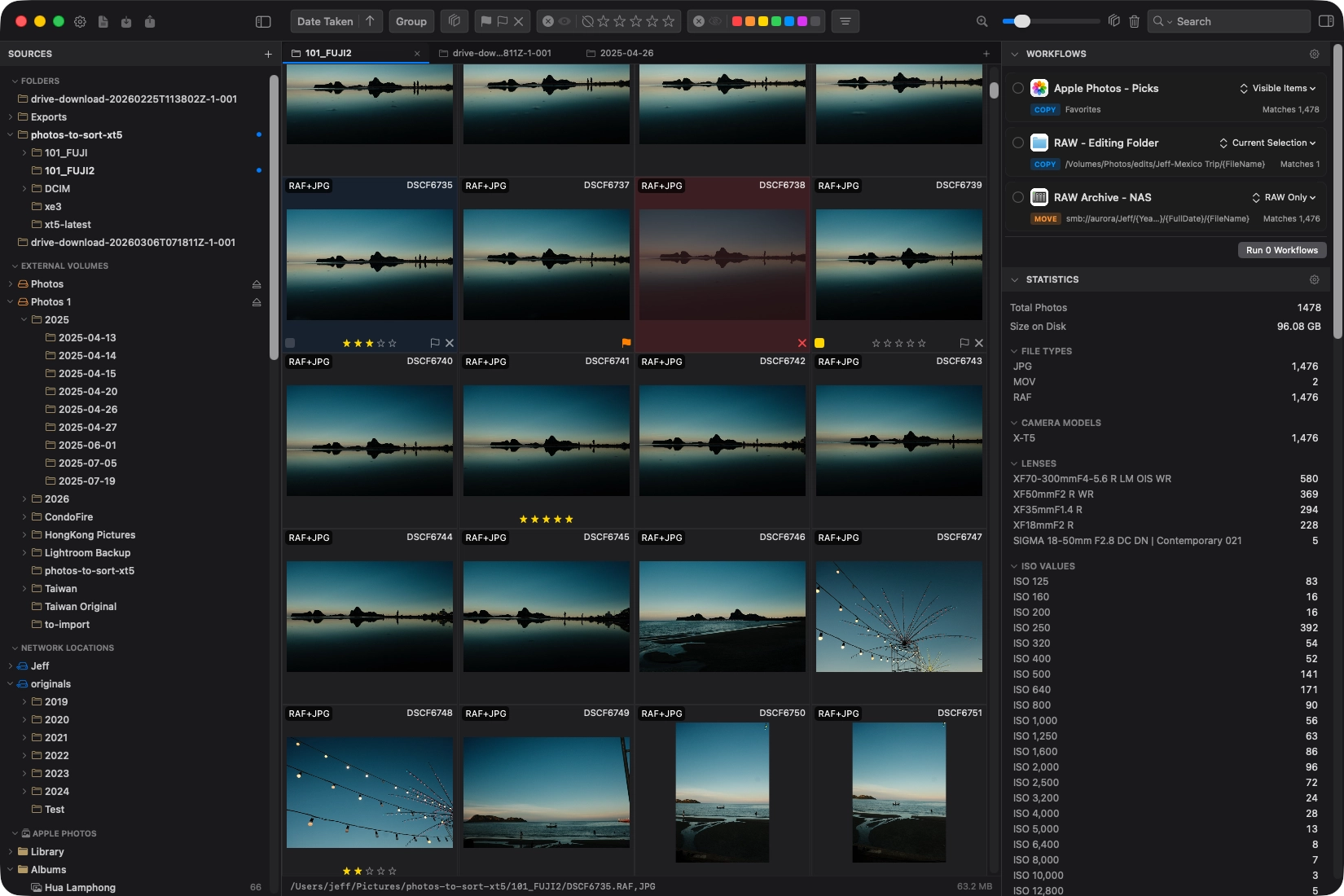
Built for photographers who shoot more than they can sort
Whether you come back from a weekend hike with 400 frames or a wedding with 4,000, the bottleneck is the same. PhotoCuller helps you get from everything to the good ones without burning out.
Passionate Photographers
You want a better way to work through large shoots, compare similar frames, and keep the best images. PhotoCuller gives you focus peaking, side-by-side compare, and smart stacking so the best shots surface faster.
Working Photographers
You need to ingest from multiple SD cards, apply IPTC metadata, and set up repeatable delivery workflows. PhotoCuller covers the session from card to handoff.
From memory card to organized archive.
Open a folder or ingest a card, make your picks, then let workflows handle where selected photos go and what they’re called.
Ingest
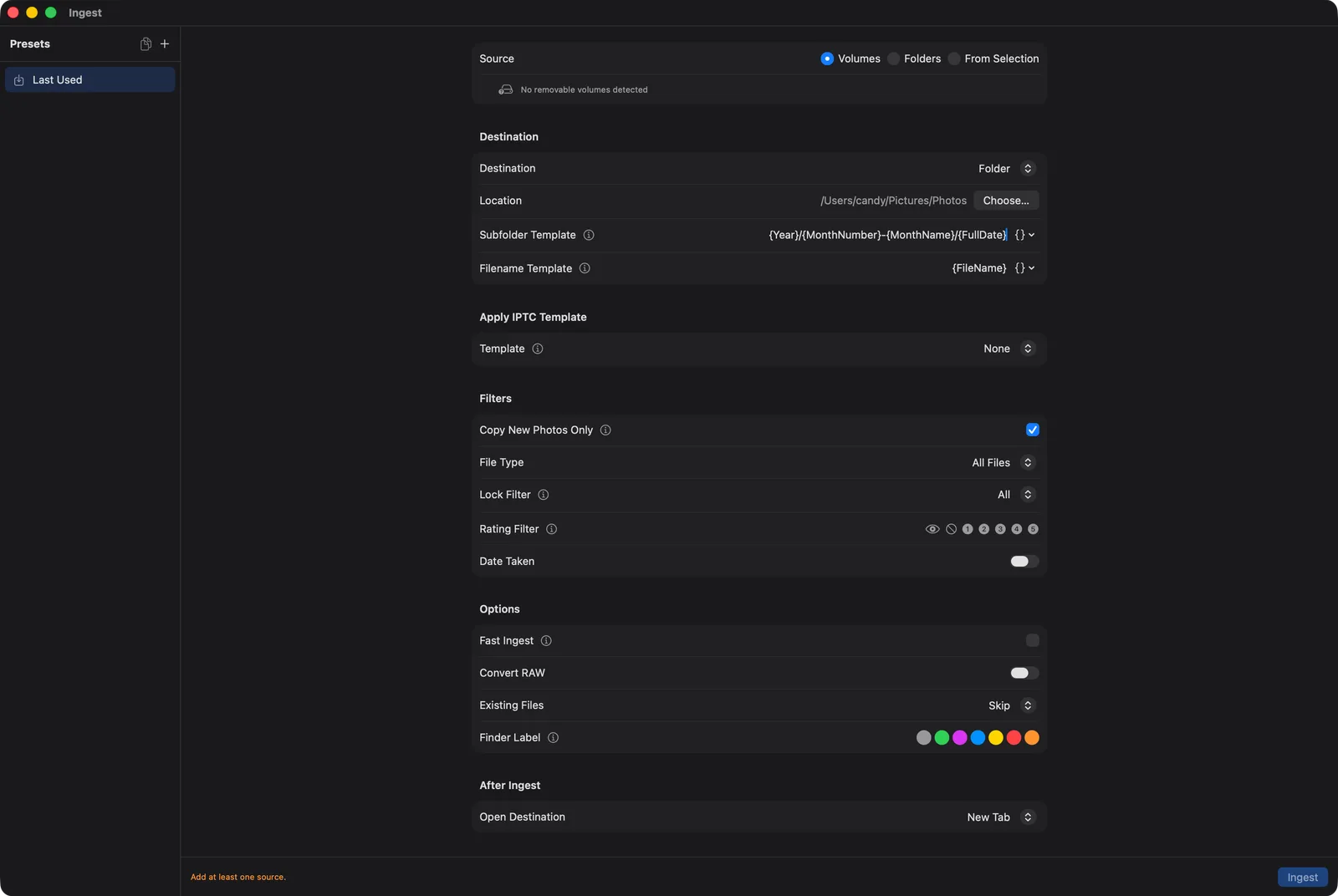
Plug in an SD card and PhotoCuller can detect it automatically. Choose a destination template, apply an optional IPTC preset, and start copying. Files appear in the grid in real time so you can begin reviewing before ingest finishes.
Cull
Use ratings, flags, favorites, rejects, or color labels in any combination that fits your process. Filter to narrow your choices, then compare similar frames when it’s a close call.
Run workflows
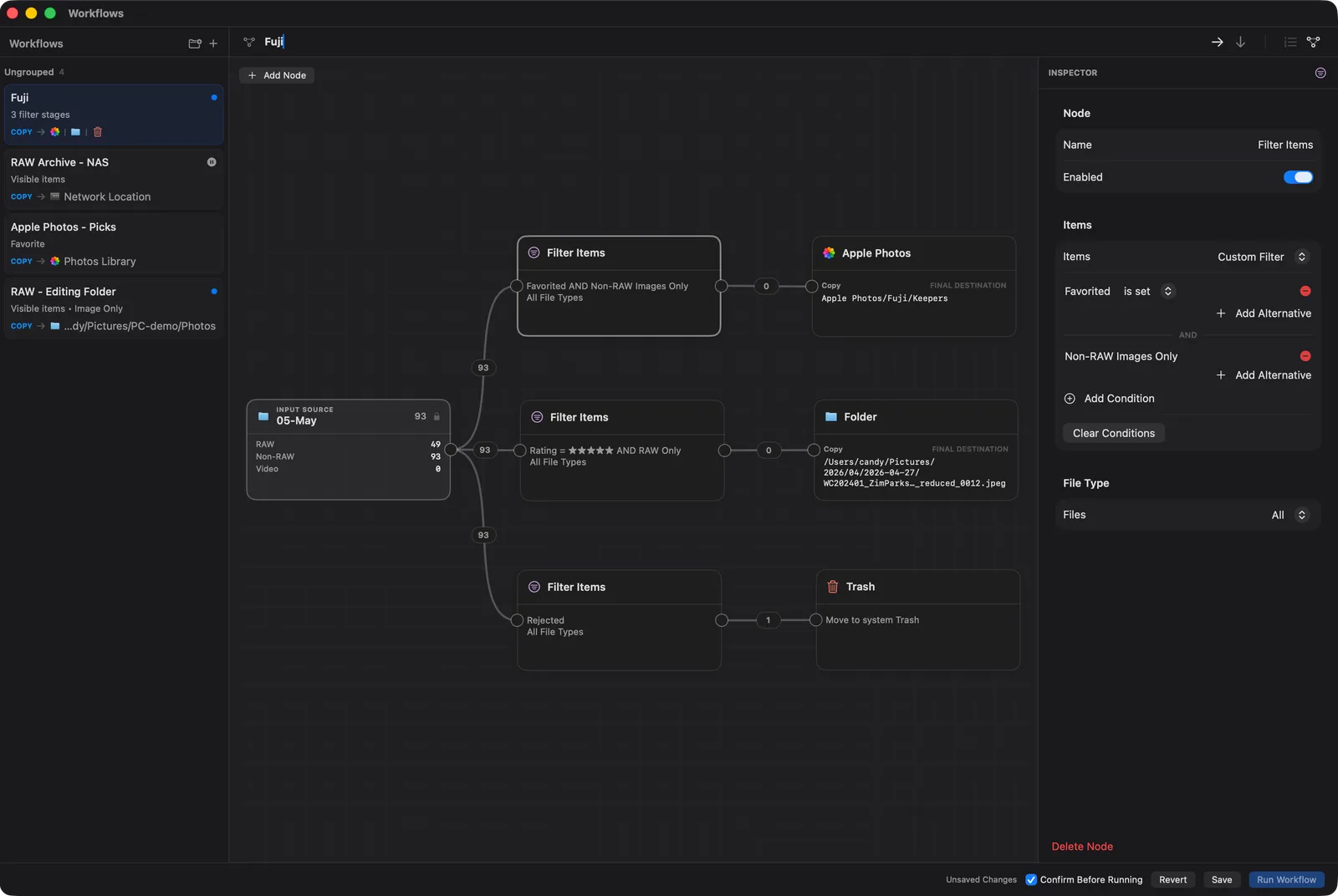
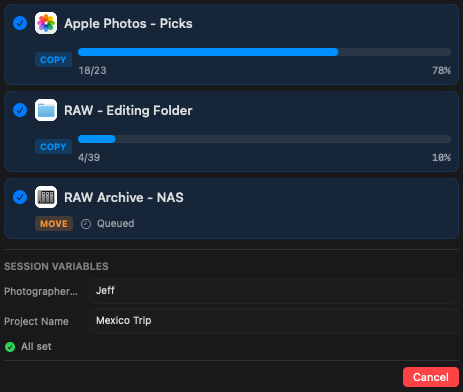
Workflows are reusable recipes that define which photos to use, what to do with them, and where to send them. Save the setup once, then run it whenever you need it.
Tools that make every decision faster
Spot the sharpest frame, catch exposure issues, and narrow thousands of photos down to your best.
Face Panel
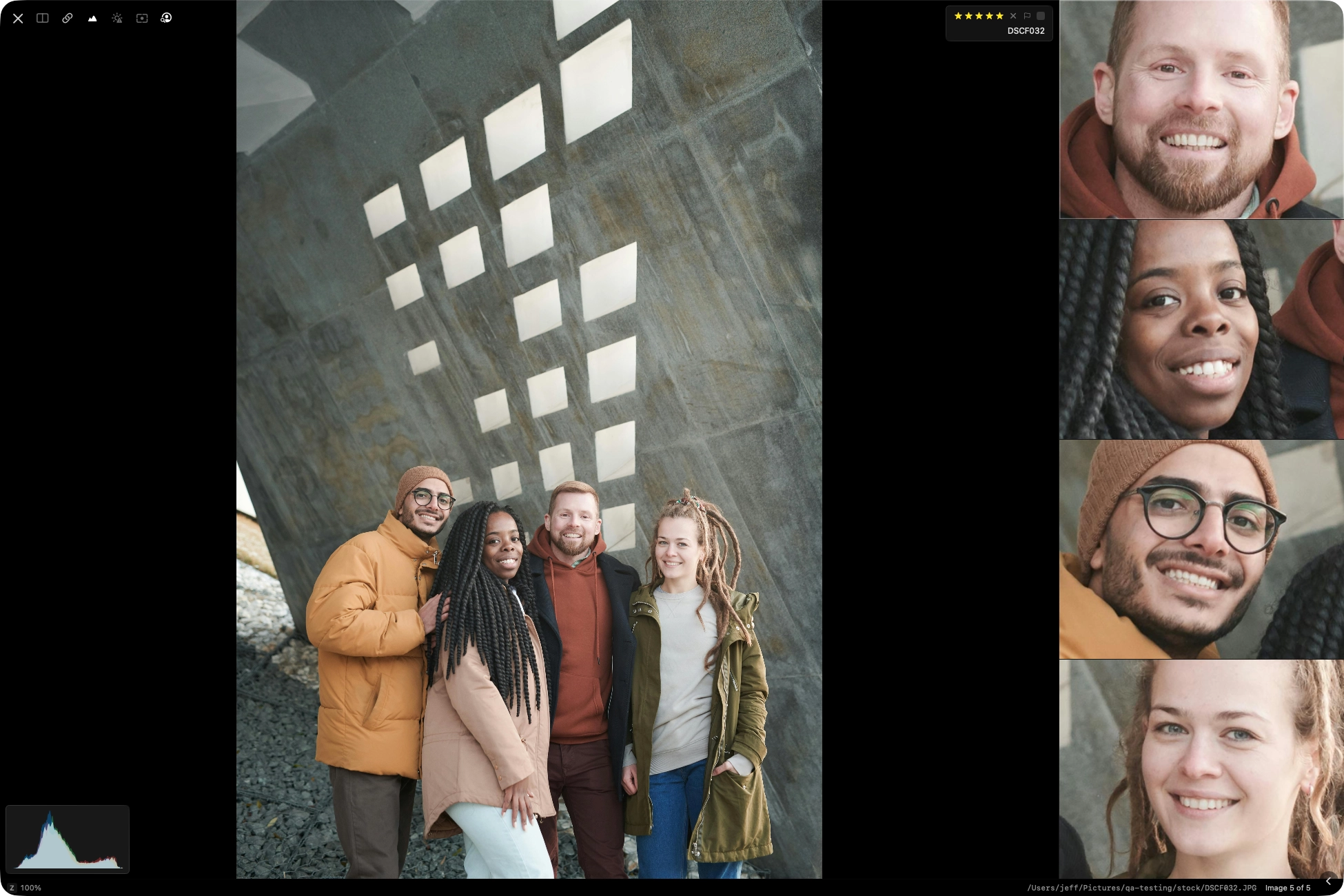
Detect faces in the current image and review close-up crops of every detected face in one panel.
Focus Peaking + Exposure Warnings
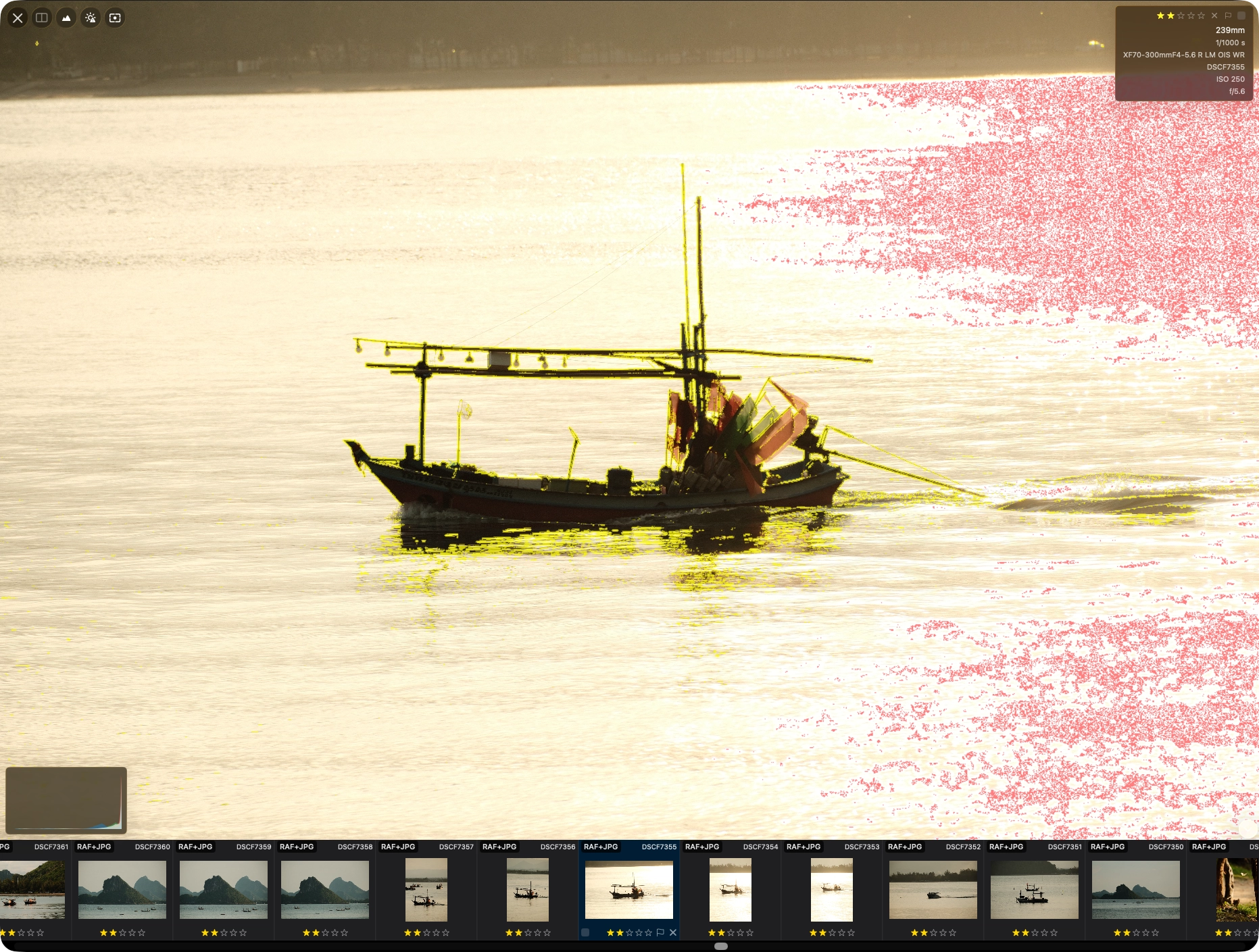
Use overlays in Full View to confirm sharp focus and quickly catch blown highlights or crushed shadows.
Loupe
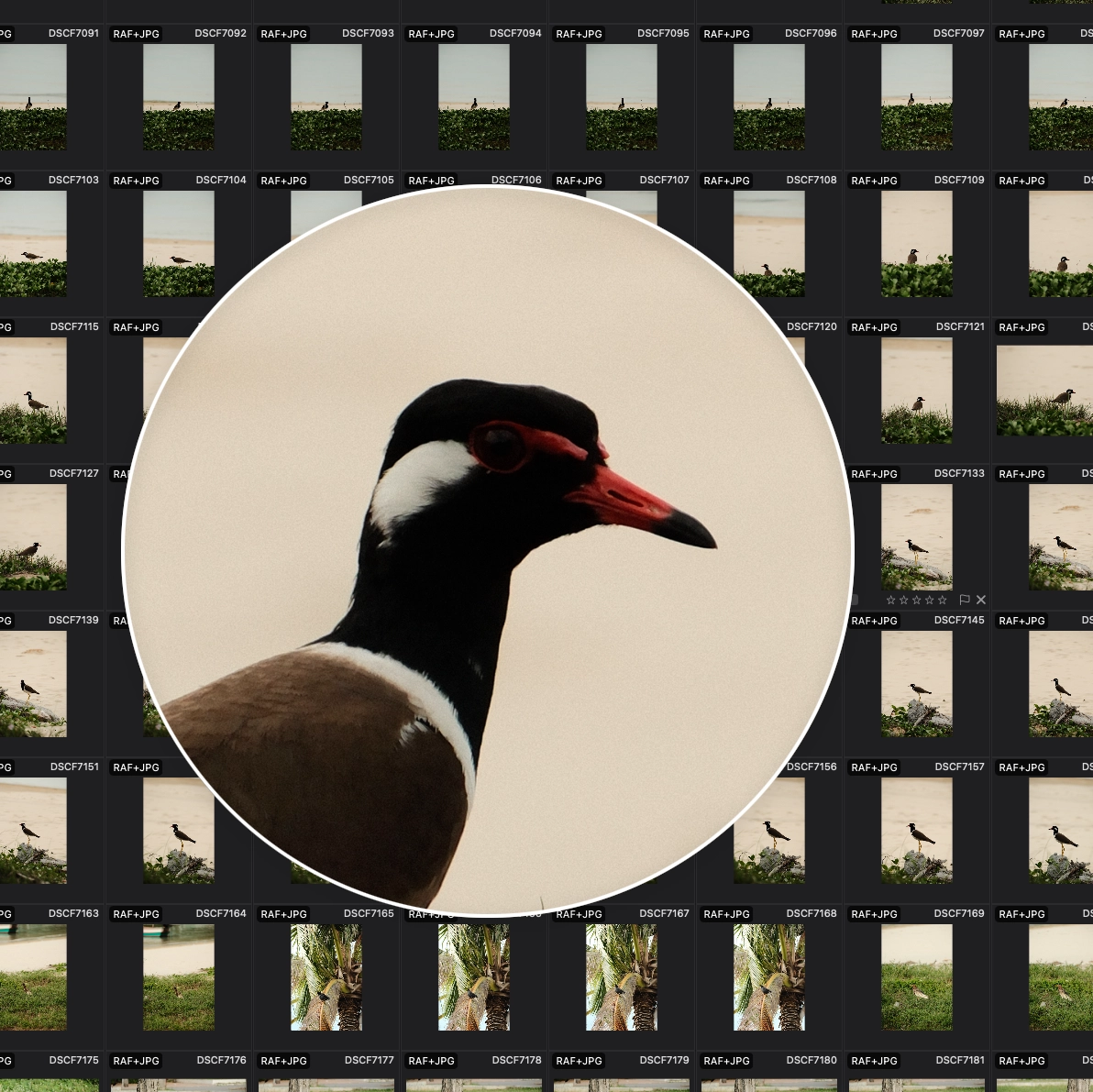
Use a magnifier in Grid View to inspect detail without switching views.
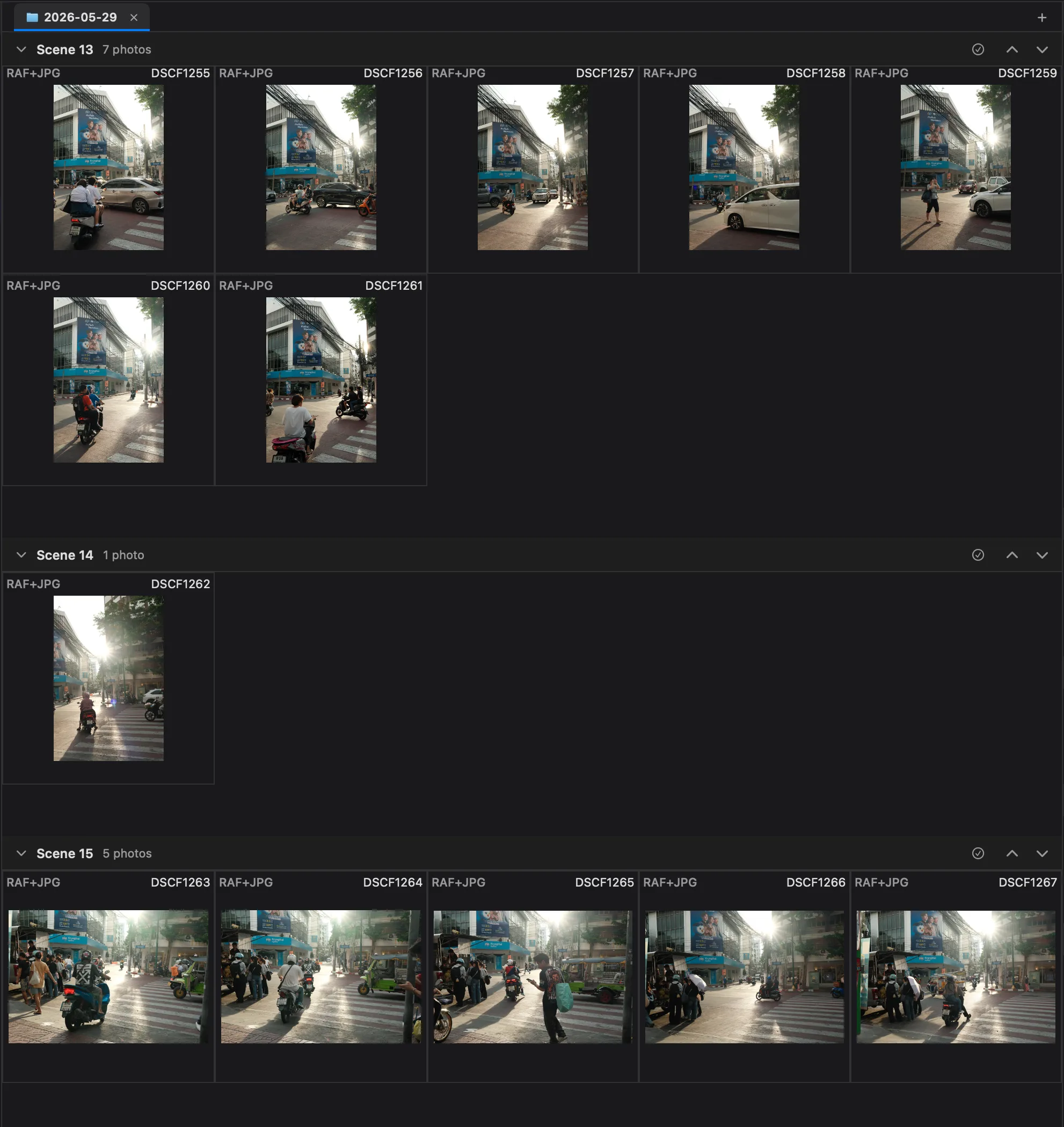
Group by Similar Scenes
Automatically group photos into scenes by visual similarity, so related shots stay together without manual sorting.
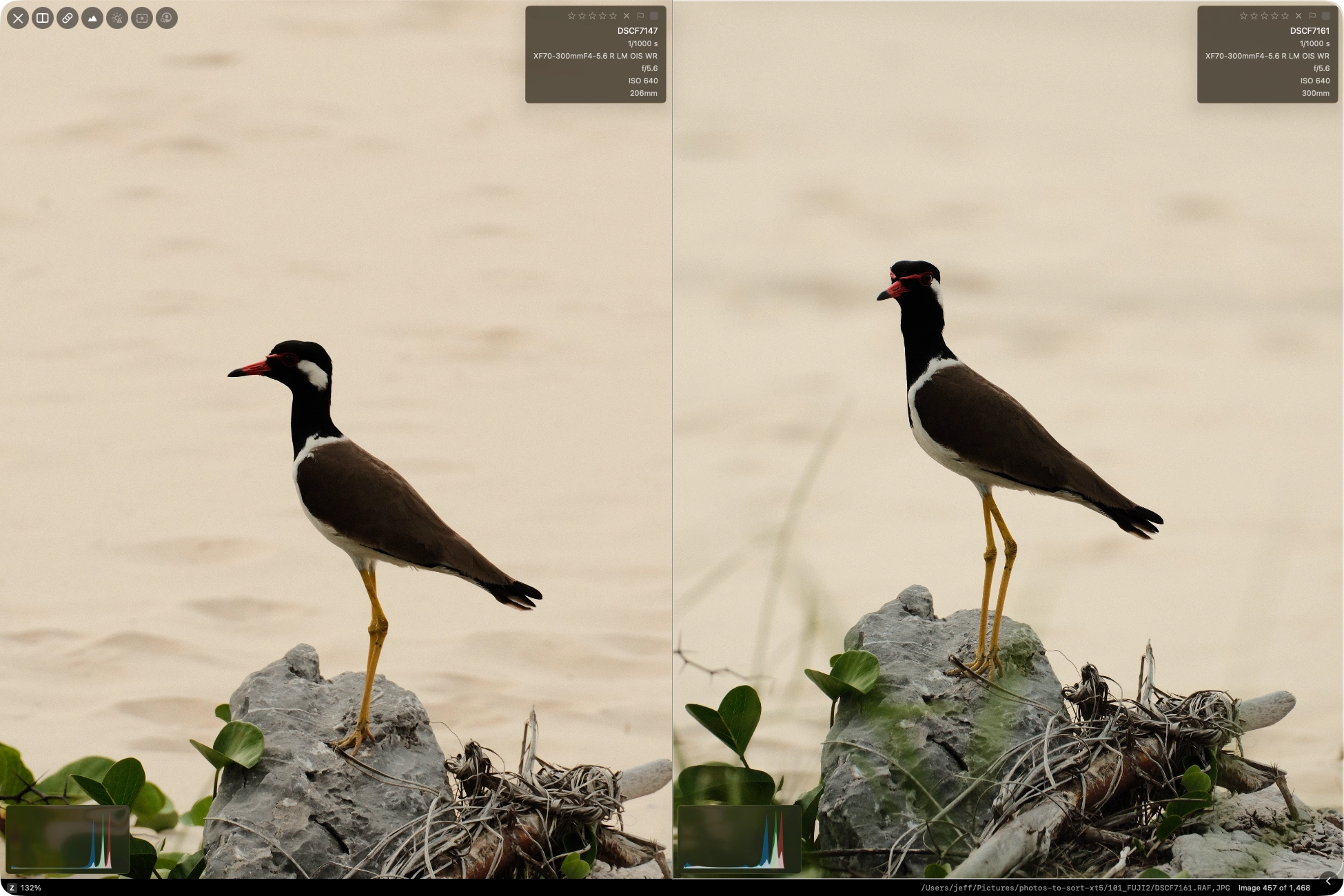
Side-by-side with synchronized zoom
Compare two photos side by side and inspect the same crop area across both panels, so you can spot differences in detail.
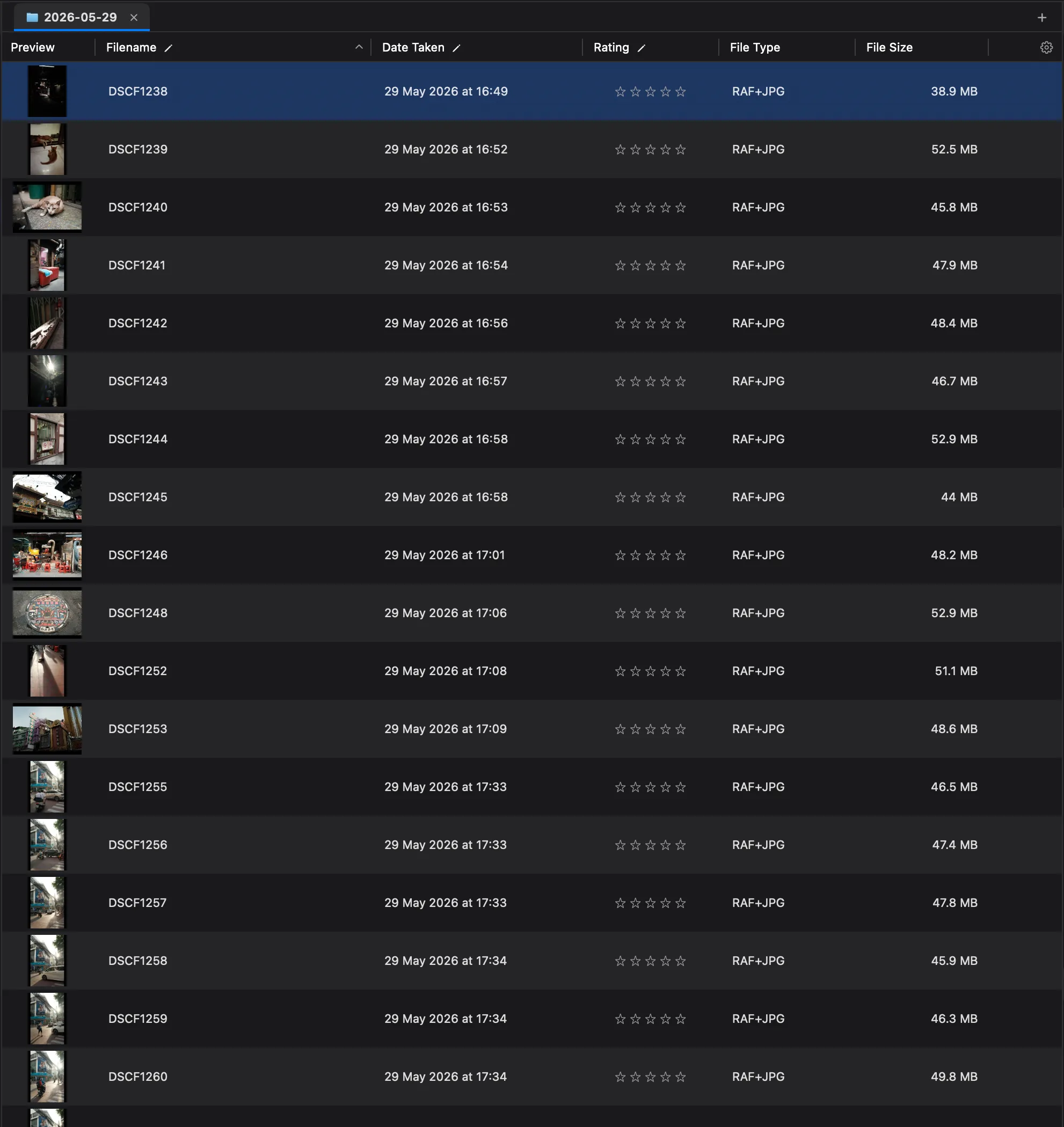
List View
Switch to a sortable table with filename, date taken, rating, file type, and size to scan a shoot at a glance.
Workflow and metadata controls
Finish the job without switching apps — apply IPTC metadata, rename files, and route output to multiple destinations in one pass.
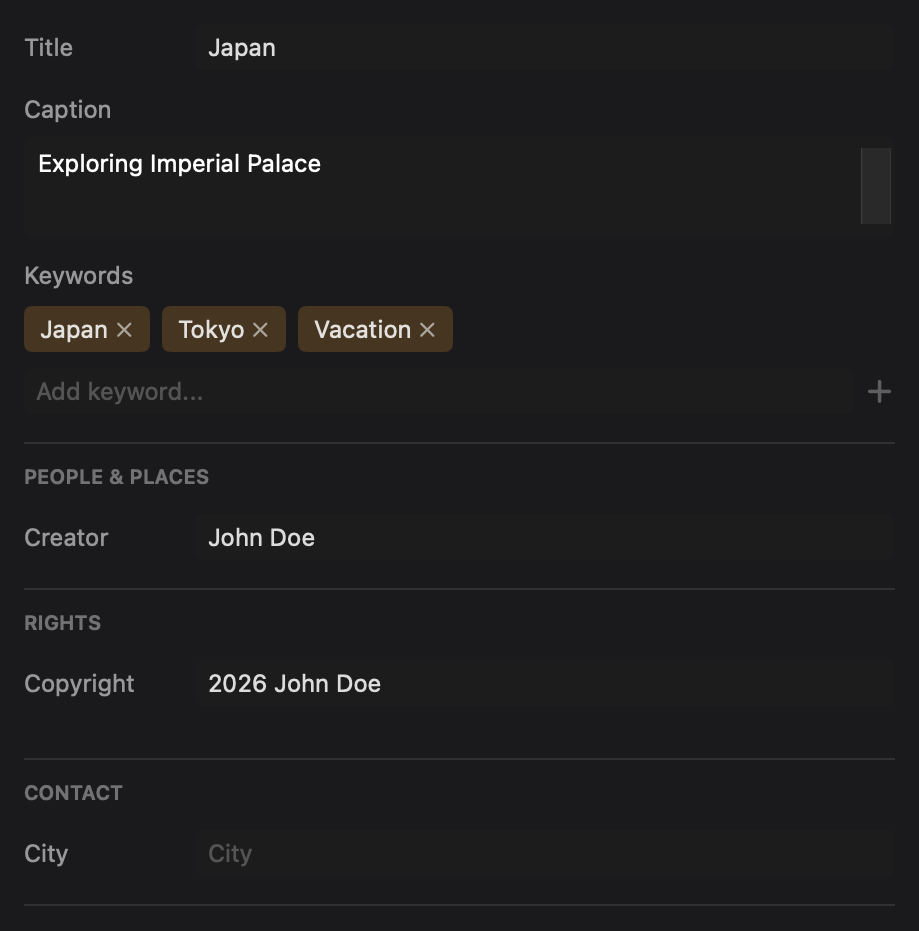
IPTC Templates
Apply reusable IPTC presets with merge modes and session variables.
Multi-destination Workflows
Run multiple workflows in one pass with separate filters, destinations, and IPTC settings.
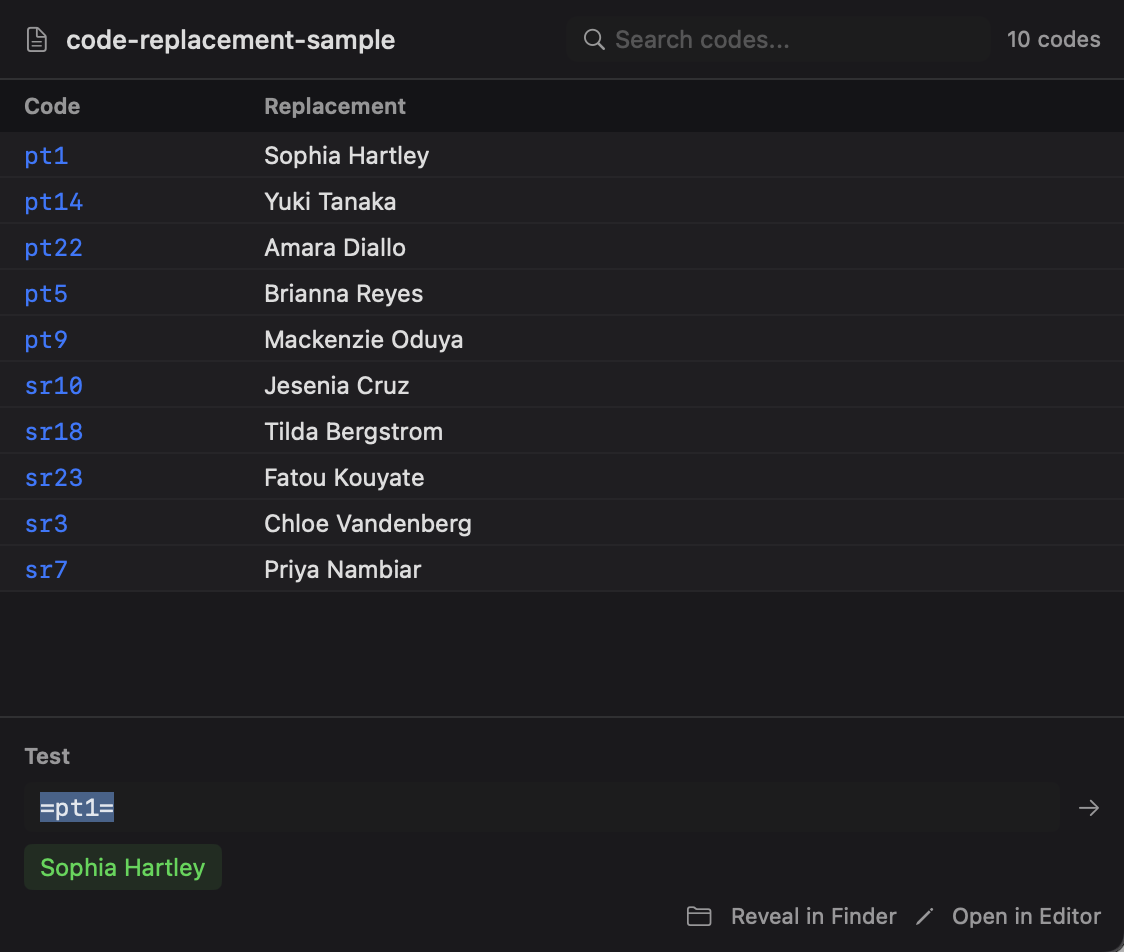
Code Replacements
Expand short codes into full values inside supported template and metadata fields.
Works with your existing setup
PhotoCuller fits between capture and editing without forcing a new ecosystem.
photo_library
Apple Photos
Load Apple Photos albums as sources and route output with workflow photo-version control.
dns
Network locations and NAS
Use mounted network locations as sources and workflow destinations in studio storage setups.
open_in_new
External editors
Send files directly to configured editors, with RAW or JPEG preference for paired files.
description
XMP sidecar aware
For filesystem workflows, PhotoCuller can include existing XMP sidecars, and RAW metadata writes use sidecars by default.
Work in Light or Dark mode.
Drag the slider to compare dark mode and light mode
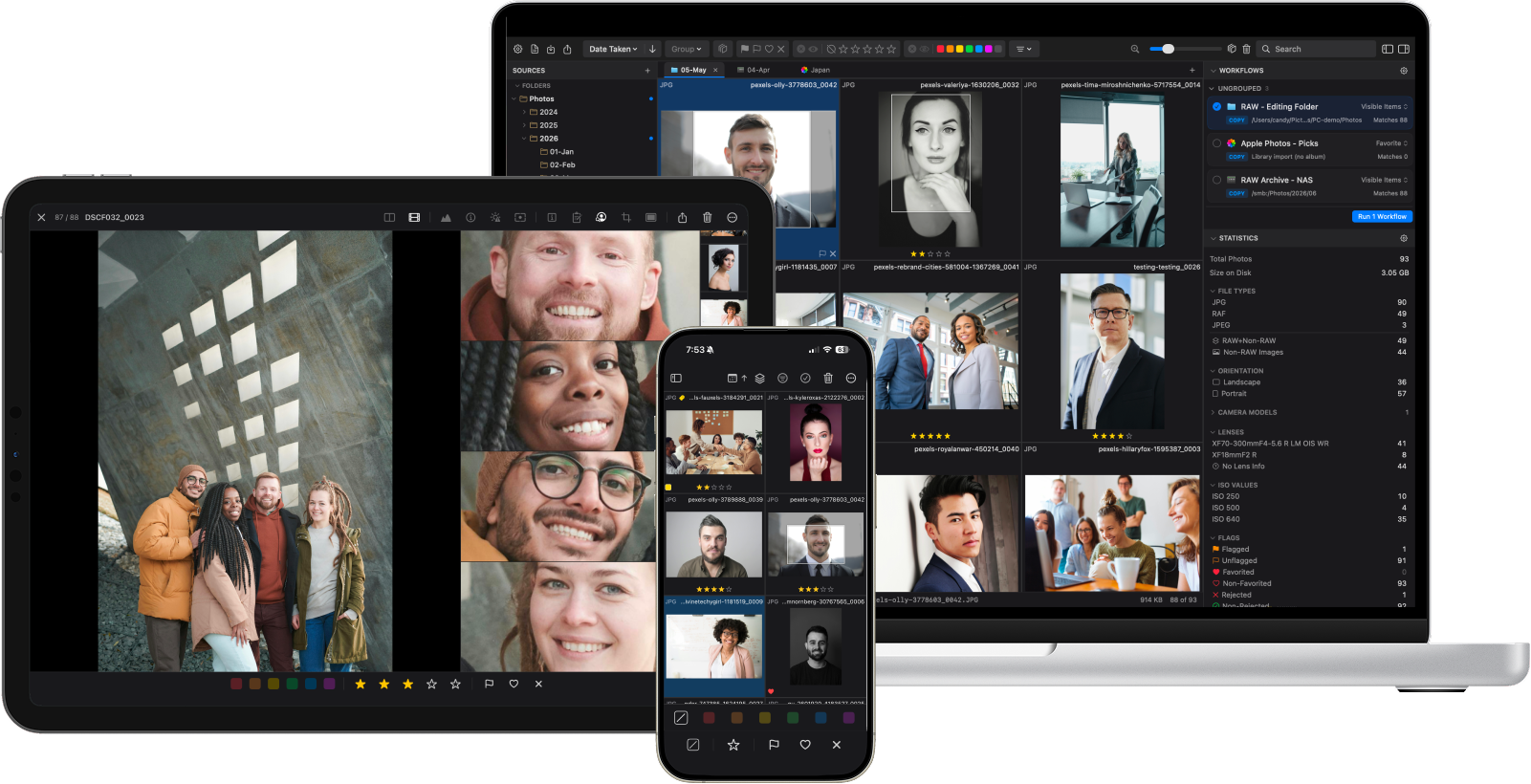
Built for Apple. Across all your devices.
A native experience across Mac, iPad, and iPhone — fast, private, and ready wherever you cull.
memory
Native Performance
Optimized for Apple silicon and Apple devices for a fast, responsive culling experience.
shield_lock
Privacy First
Your photos stay on your devices. No cloud uploads, no accounts, no tracking.
wifi_off
Works Offline
No internet required for culling. Work on your Mac, iPad, or iPhone wherever you are.
Real feedback from photographers
Click any card to read more
Try it on a real shoot
Free 30-day trial — no credit card, no account. Load a recent shoot and see how it feels on your own photos.
PhotoCuller is focused purely on culling - quickly reviewing, rating, and organizing photos before editing. It's a one-time purchase with no subscription, runs completely offline, and integrates seamlessly with Apple Photos. Think of it as the fastest way to get from thousands of shots to your best selects.
Does it work with Apple Photos?
Yes! You can load albums from your Apple Photos library, cull your shots with ratings and color labels, then route your picks back to Photos or to external drives.
Can I send photos to external editors?
Yes. Add your preferred external editors in Settings, then open files directly from PhotoCuller. For RAW+JPEG pairs, you can choose whether to open the RAW file or the JPEG version before handing off to your editor.
What file formats are supported?
PhotoCuller supports RAW files from most major camera brands (Canon, Nikon, Sony, Fujifilm, and more), plus JPEG, HEIC, PNG, and TIFF. It automatically detects and pairs RAW+JPEG files shot together.
Can I use it completely offline?
Absolutely. PhotoCuller runs entirely on your Mac with no internet connection required. Your photos never leave your device - there's no cloud upload, no account needed, and no tracking.
Support
For questions, bug reports, license issues, or feedback, contact us at:
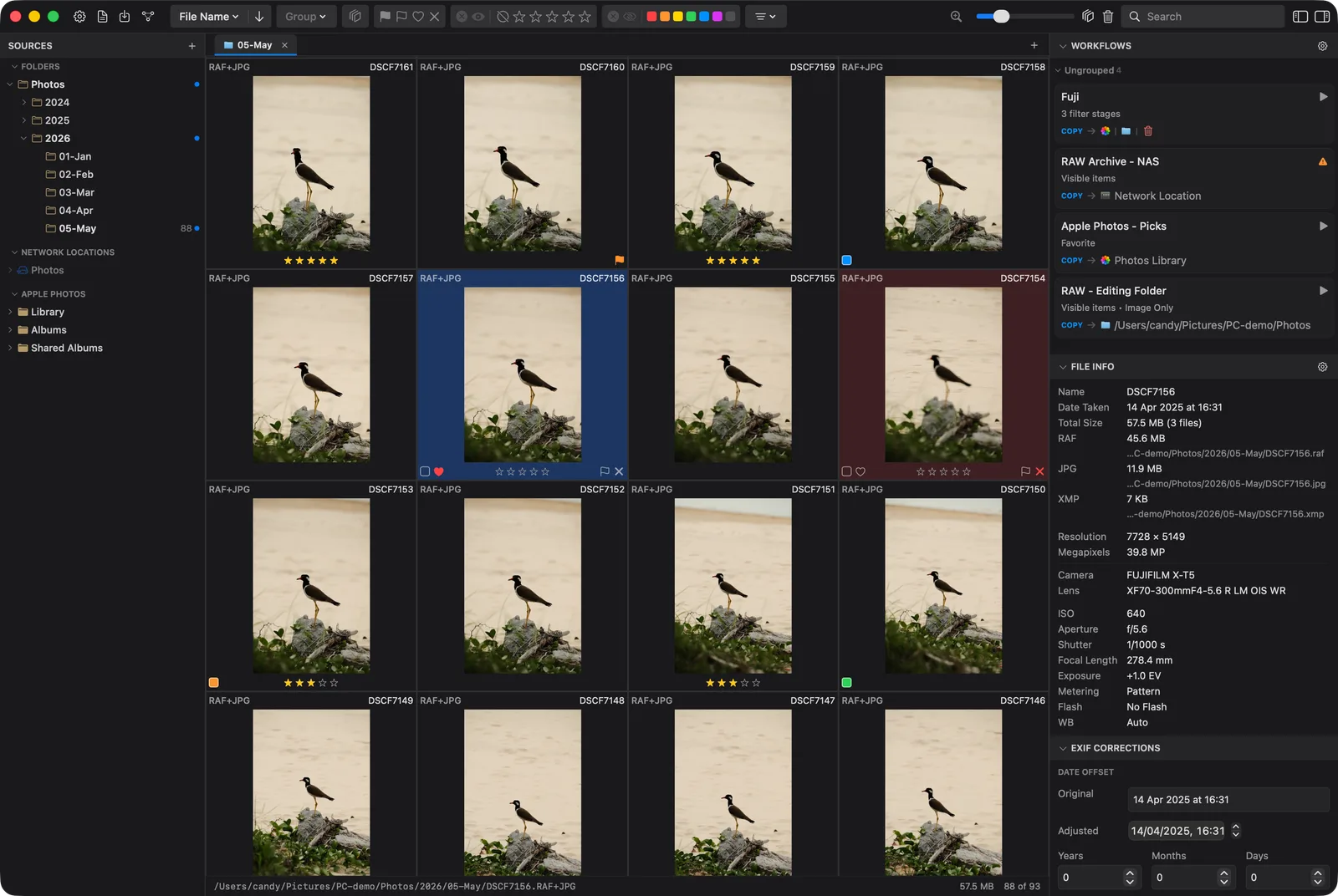
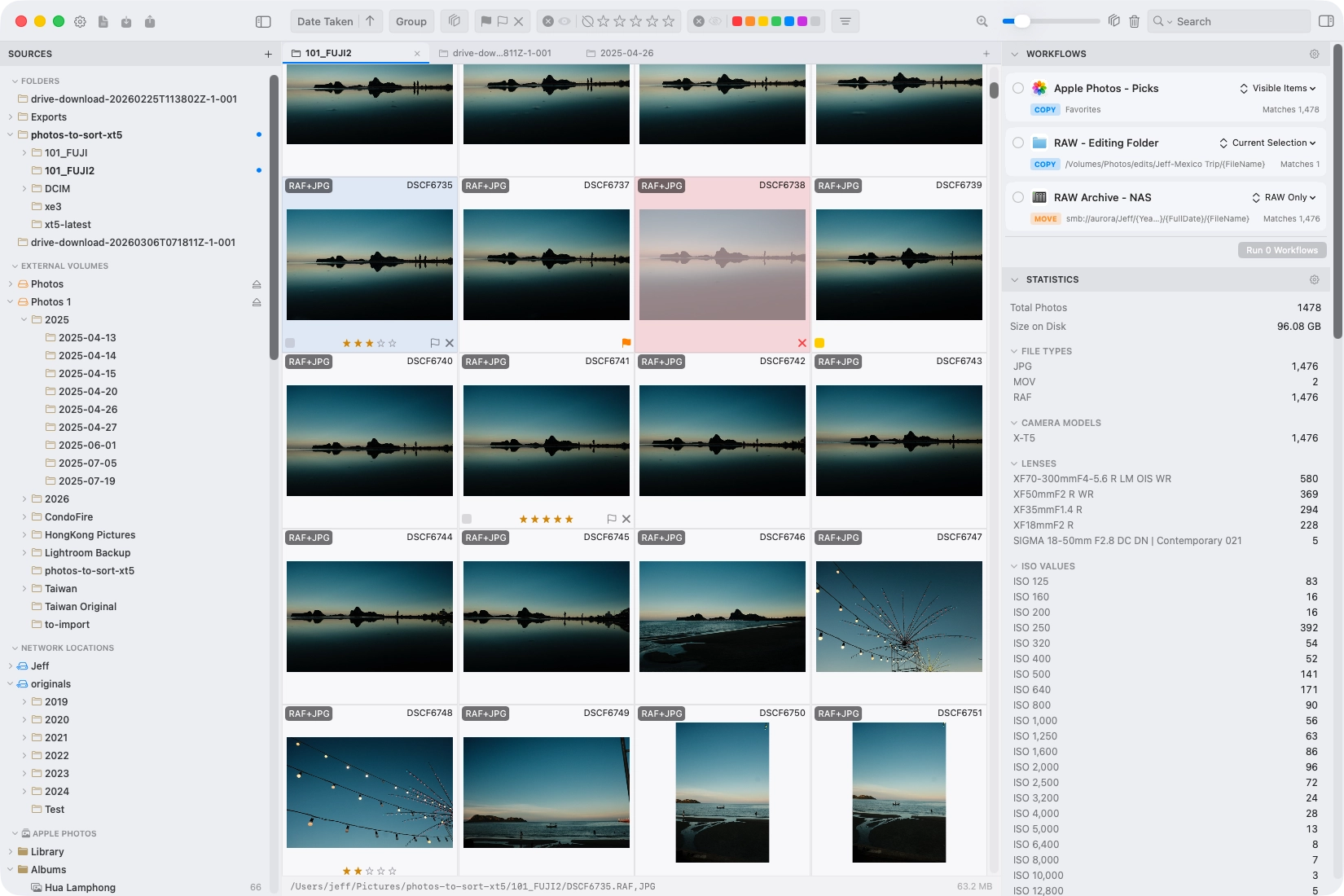 Drag the slider to compare dark mode and light mode